The 11-hour problem
A litigation partner at a mid-size firm in Dallas told me his attorneys spend about 11 hours a week on case admin. That is filing documents into the right folder, checking deadlines against court rules, sending status updates to clients, and updating task lists for paralegals. Eleven hours. At $350/hour, that is $3,850 per attorney per week that could go to actual legal work.
He is not unusual. The 2024 Clio Legal Trends Report found that attorneys spend only 2.5 billable hours per 8-hour workday. The rest disappears into admin, email, calendaring, and file management.
AI case management exists to fix this specific problem.
What it actually is
AI case management is software that uses machine learning to organize case files, surface relevant documents, flag upcoming deadlines, and automate routine status updates. Think of it as a paralegal that never sleeps and never forgets a filing date.
That is the elevator version. In practice, it means a system that can take an incoming email from opposing counsel, identify which matter it relates to, file it in the right place, check if it changes any deadlines, and notify the responsible attorney. Without anyone telling it to do any of that.
The distinction from traditional practice management software matters. Traditional tools are databases: you enter data, they store data, you retrieve data. AI-powered tools read, categorize, and act on data without manual input. When you handle 200+ active matters, that difference is the gap between staying on top of things and missing a court filing.
Core functions, with before-and-after examples
Document intake and auto-classification. Before: paralegal spends 20 minutes per document deciding which matter folder it belongs in, naming the file, tagging it. After: the system reads the document, identifies the matter, classifies the document type (motion, correspondence, exhibit), files it, and logs the activity. Time: seconds.
Deadline tracking with court-rule awareness. Before: an attorney or paralegal manually looks up local court rules, calculates response deadlines, enters them into a calendar. After: the system reads the filing, identifies the jurisdiction and document type, calculates every relevant deadline (response, reply, hearing), and adds them to the calendar with reminders. The 2024 Thomson Reuters survey found 72% of firms using AI tools reported fewer missed deadlines.
Conflict checks. Before: someone searches the firm's contact database by name, hoping they spell it right, hoping the database is up to date. After: the system searches across all matters, contacts, and communications for potential conflicts, including variations in name spelling and associated entities.
Task assignment and workload balancing. Before: a partner assigns work based on who they remember is available. After: the system shows current workload by attorney, suggests assignments based on expertise and capacity, and creates task checklists based on matter type.
Client communication logs. Before: emails live in individual inboxes. Phone notes live on legal pads. Nobody has a complete picture. After: every client touchpoint is logged in the matter file, searchable and auditable.
AI case management vs. traditional practice management
|
Feature |
Traditional PM |
AI case management |
|
Document filing |
Manual drag-and-drop |
Auto-classification on intake |
|
Deadline tracking |
Manual calendar entry |
Court-rule-aware auto-calculation |
|
Task creation |
Manual assignment |
AI-suggested based on matter type |
|
Conflict checks |
Name search in database |
Cross-matter entity analysis |
|
Status updates |
Attorney drafts email |
AI generates draft from case activity |
|
Learning curve |
Low |
Moderate (2-4 weeks) |
Addressing the skepticism
"Will AI miss something?" Yes, sometimes. So do humans. The question is whether the error rate is lower and whether the time saved justifies the risk. Based on current data, the answer to both is yes for routine administrative tasks. For complex legal judgment calls, AI is not making those decisions. It is organizing information so the attorney can make them faster.
"Is my client data safe?" This is the right question. Any reputable AI case management platform stores data encrypted, does not use client data to train models, and complies with SOC 2 and relevant bar association guidelines. Ask the vendor directly and get the answer in writing.
"How long does implementation take?" Typically 4 to 8 weeks for a 20-person firm. The AI itself is not the bottleneck. It is data migration (getting your existing files and matter information into the new system) and permissions setup. Legacy file formats cause more headaches than the technology.
The ROI math
If an associate bills at $350/hour and saves 8 hours per week on case admin, that is $145,600 per year in recovered billable time per attorney. A 10-attorney firm recovers $1.45 million in potential billings. Software costs run $20,000 to $50,000 per year. Even if only a third of those recovered hours convert to actual billings, the return is 10:1 or better.
Beyond revenue recovery: fewer missed deadlines means fewer malpractice claims. Better client communication means higher retention. Less tedious work means lower staff turnover.
Where to start
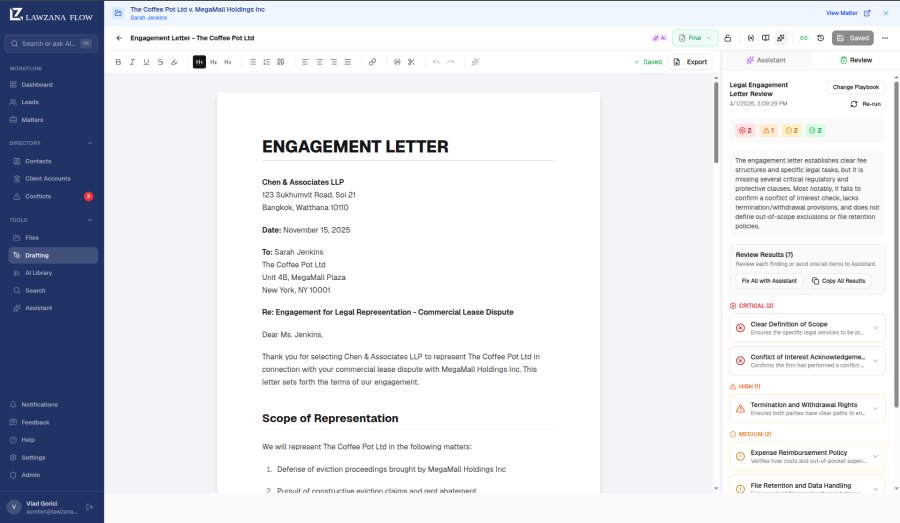
Lawzana Flow combines AI case management with CRM and AI legal drafting in a single platform. For firms that want to try AI case management without buying three separate tools, it is the most integrated option on the market. You can start a trial and test it with real work in your first week.