

Trust Accounting
Keep a record of the client money you hold, with a ledger per matter and firm trust accounts you can reconcile against your bank statement.
Firm Trust Accounts#
Manage trust accounts from the Trust accounts section of the Billing Dashboard. You need at least one before you can record entries on a matter.
Click New trust account and enter:
- Account name, for example "Client Trust Account"
- Bank (optional)
- Currency, a three-letter code such as EUR or GBP
- Jurisdiction, a free-text label shown as a tag
Create one trust account per real bank account. An account holds one currency, so a firm holding client money in two currencies needs two accounts. Each account shows its book balance, which is the total of its matter balances.
Per-Matter Trust Ledger#
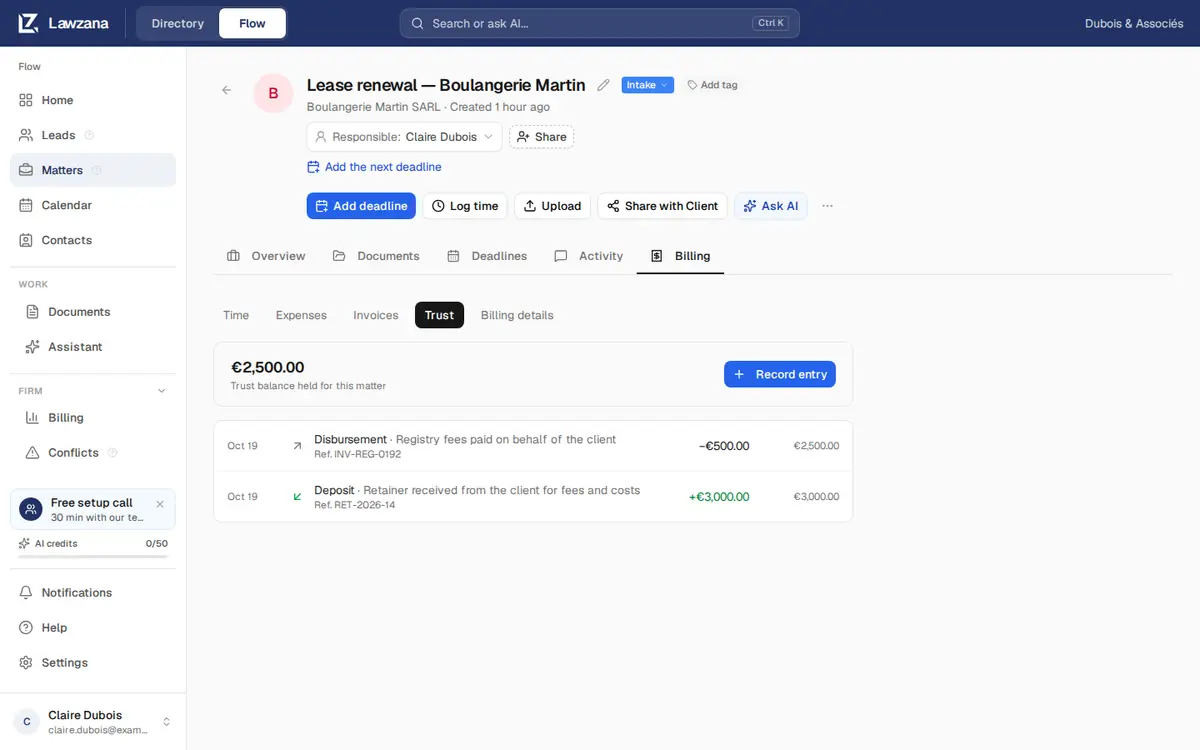
Each matter's client money lives under the Billing tab → Trust. The tab shows the balance held for the matter in each account (never added across accounts) and a ledger with every entry, its reference and the running balance.
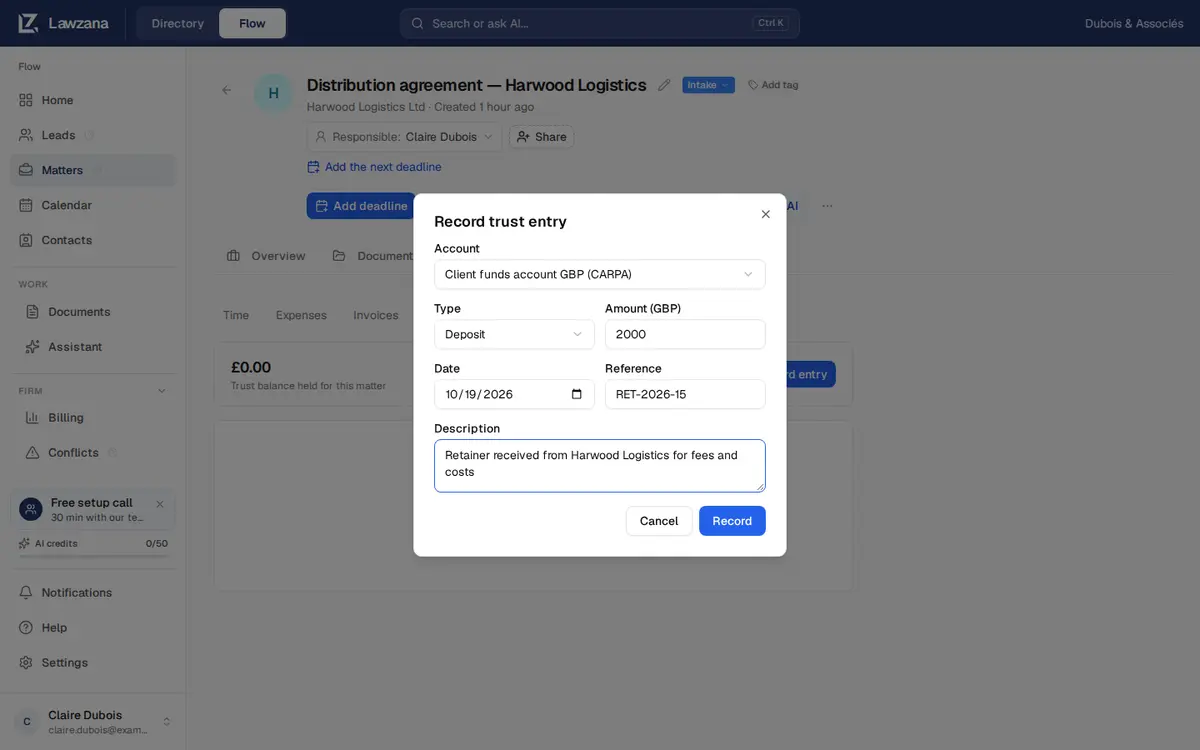
Click Record entry and fill in:
- Account: it starts on the account in the matter's currency
- Type: see the table below
- Amount, in the account's currency
- Date
- Reference, for example a cheque number or a transfer reference
- Description
| Type | Use it for |
|---|---|
| Deposit | Money received from or for the client into the trust account |
| Disbursement | Money paid out of the trust account for the client: court fees, a payment to a third party, or a transfer to your office account for an invoice |
| Transfer in / Transfer out | Moving client money between matters or accounts. Each side is recorded separately, so record both |
Entries can't be edited or deleted. To correct a mistake, record a new entry that reverses it, as your rules require.
The Overdraw Rule#
A matter's client money can never go below zero, on any date. Flow checks the ledger in date order and refuses a payment out for one of two reasons:
- Not enough on that date. The message gives the amount available.
- Enough then, but not later. A back-dated payment out would leave a later payment without cover. Use a later date or check the later entries.
Reconciliation#
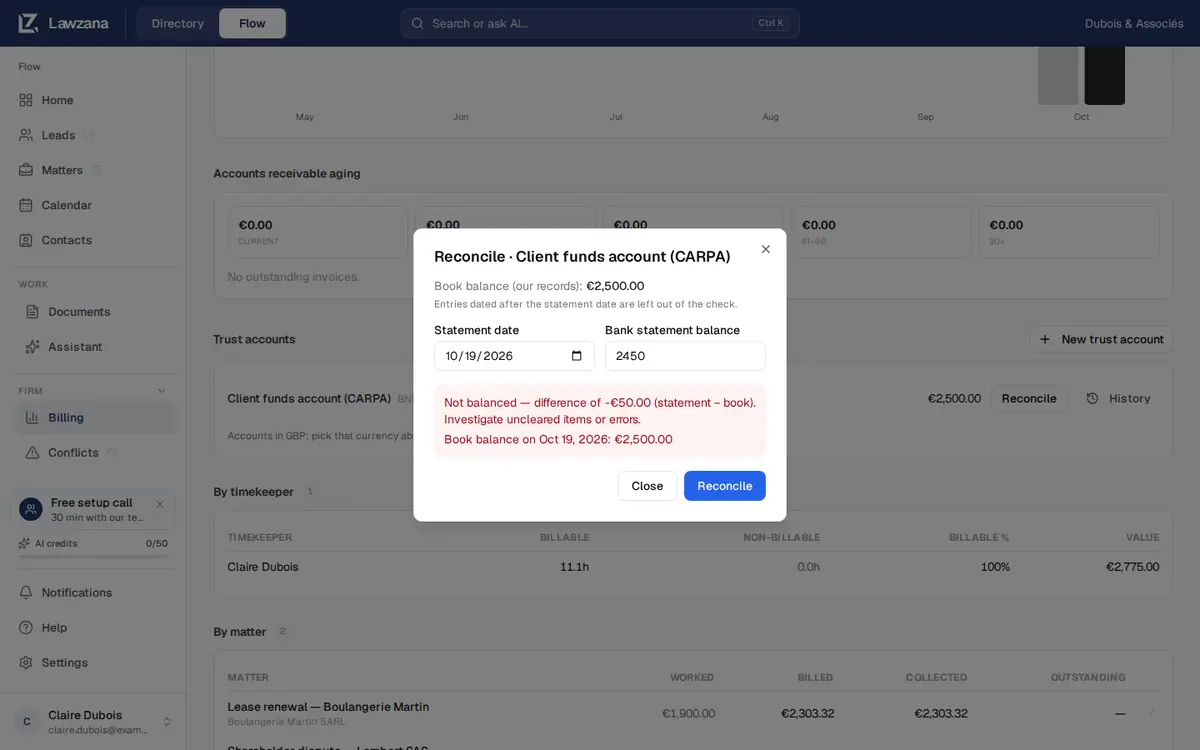
On the Billing Dashboard, click Reconcile on an account. Enter the bank's Statement date (not in the future) and the Bank statement balance, then click Reconcile. Flow compares it with the book balance on that date (entries dated after the statement date are left out) and checks that the matter ledgers add up to the account total.
The result is Balanced, or Not balanced with the difference (statement minus book) to investigate. Both are kept, and History lists every past reconciliation with its statement date, bank and book balances and result.
The Reconciled Period#
Once an account reconciles as Balanced, the period is closed: an entry dated on or before that statement date is refused. Date it after that day.
A reconciliation that doesn't balance closes nothing. Find the cause (often a deposit or payment not yet recorded), record the missing entry on its true date, then reconcile the same statement again.
Archiving#
Archive appears only when an account's balance is zero. An archived account takes no new entries and leaves the list.